Flash the STM32 side of my DVID
Setup
You need to install the tool stm32flash:
git clone https://github.com/dvid-security/Arduino_STM32
./Arduino_STM32/tools/linux64/stm32flash/stm32flash -h
Run
In order to flash the firmware, you need to process following steps:
- Connect the "UART" header of the board to your computer via a USB-UART bridge
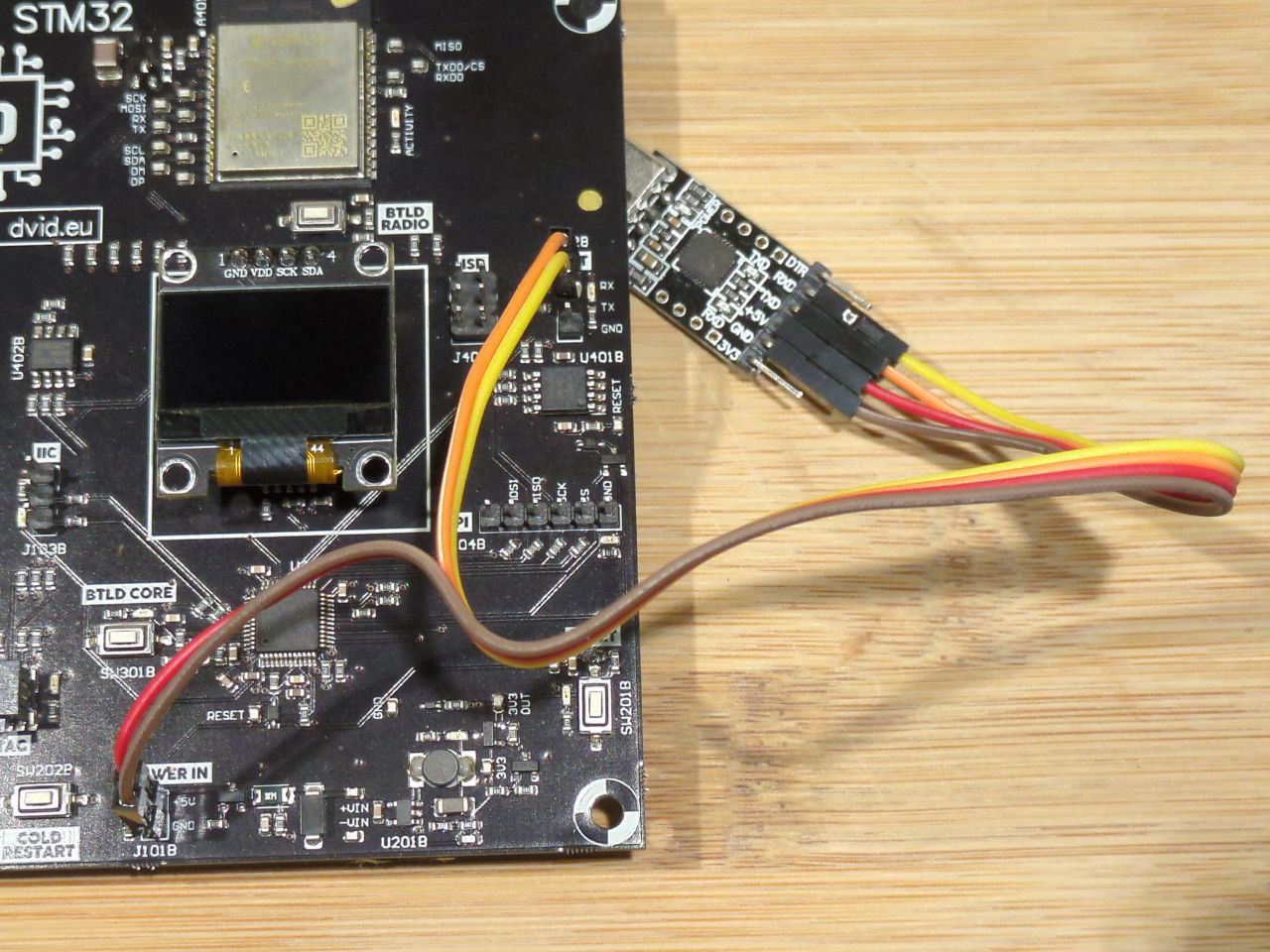
-
Power up the board (connect the UART dongle to your computer)
-
Press and hold the "BTLD CORE" button
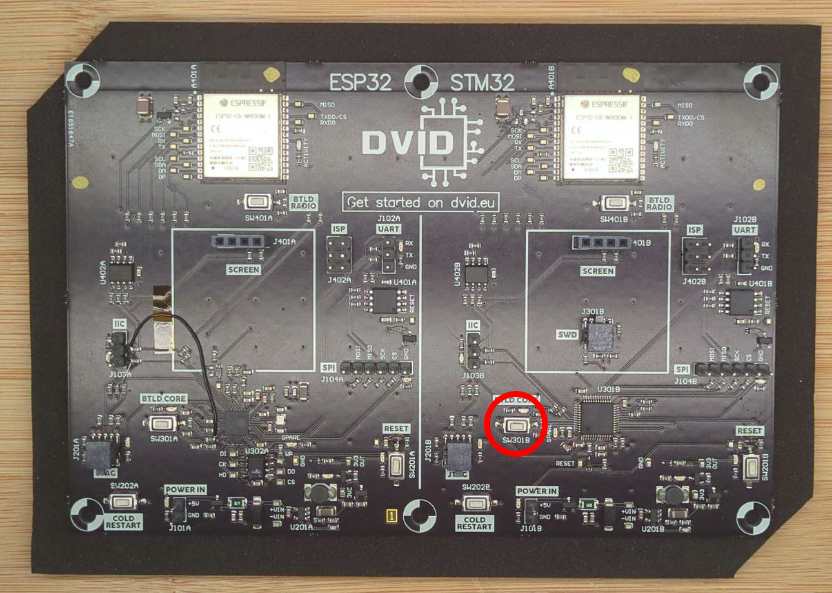
- Press, then release the "RESET" button
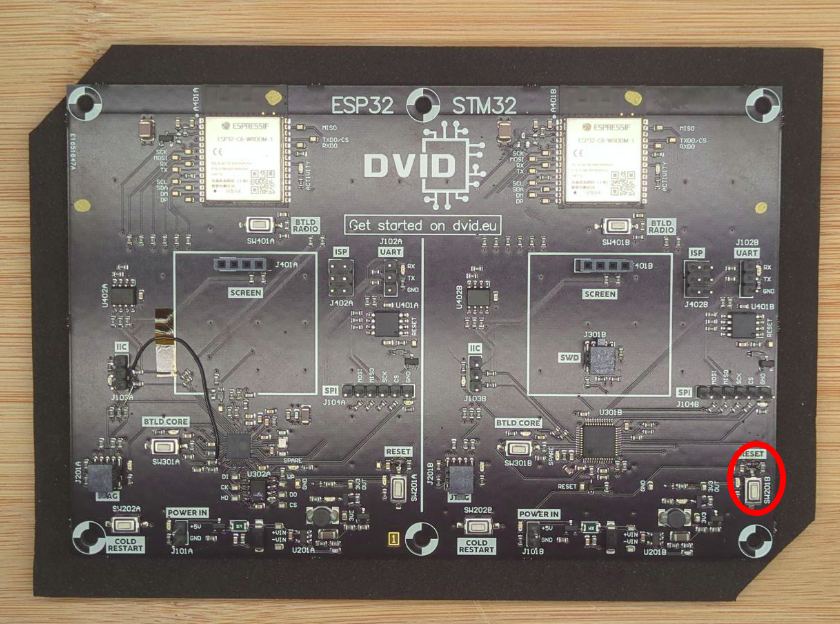
-
Release the "BTLD CORE" button
-
Execute the flash command
#> ./Arduino_STM32/tools/linux64/stm32flash/stm32flash -b 115200 -w ./firmware.stm32 /dev/ttyUSB0
Execution trace :
stm32flash Arduino_STM32_0.9

http://github.com/rogerclarkmelbourne/arduino_stm32

Using Parser : Intel HEX
Interface serial_posix: 115200 8E1
Version      : 0x22
Option 1     : 0x00
Option 2     : 0x00
Device ID    : 0x0410 (Medium-density)
- RAM        : 20KiB  (512b reserved by bootloader)
- Flash      : 128KiB (sector size: 4x1024)
- Option RAM : 16b
- System RAM : 2KiB
Write to memory
Erasing memory
Wrote address 0x080071b0 (100.00%)
You can now press the reset button to restart the training, something should appear on the screen.