Flash Butterfly Firmware on NRF52840 Dongle
Setup
You need to install nrfutil in your system PATH. Move the binary to a directory included in your PATH.
The nrfutil binary is available here. Add execution permissions:
chmod +x nrfutil
Check that the binary is correctly installed by running:
nrfutil help
Once the binary is installed, the easiest way to install Butterfly is by using WHAD.
To install WHAD, first install the dependencies:
sudo apt install gcc python3-dev binutils -y
Then install WHAD via pip:
pip install whad
Install with WHAD
To install the latest version of Butterfly on the NRF52840, you can use the winstall command:
winstall --flash butterfly --port /dev/ttyACM0
Then plug in the dongle while holding the reset button (press it horizontally — it is not the top white button):
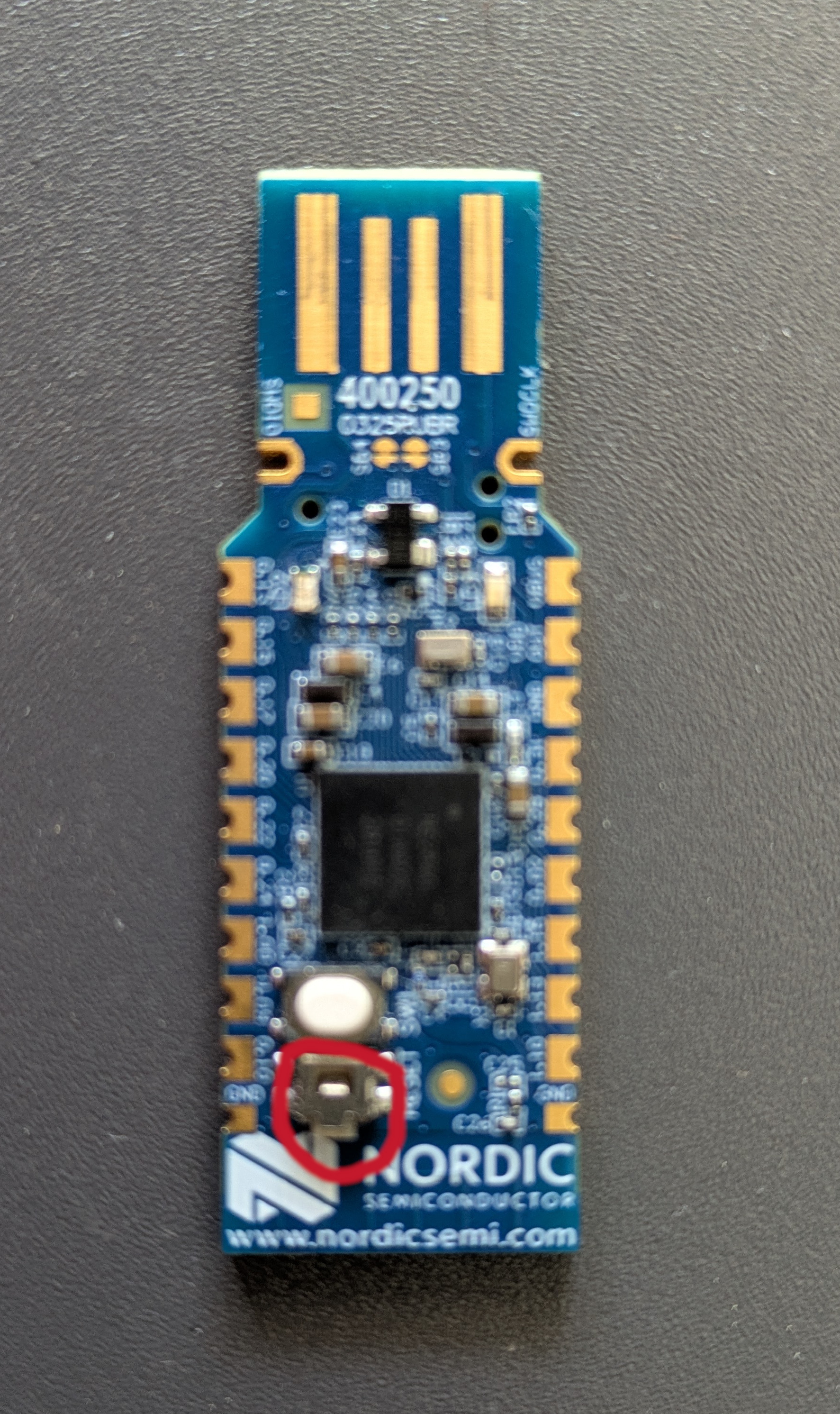
The firmware will be flashed. Once completed, disconnect the device and list supported devices with WHAD:
whadup
[i] Available devices
- uart0
  Type: Uart
  Index: 0
  Identifier: /dev/ttyACM0

- hci0
  Type: Hci
  Index: 0
  Identifier: hci0
Then test your interface capabilities:
whadup uart0
[i] Connecting to device ...
[i] Device details

 Device ID: 73:c2:bb:16:c3:8a:c2:b6:c2:92:54:20:c3:98:28:c2:81:c2:a0:21:c2:be:c2:a2:c3:ab
 Firmware info:
 - Author : Romain Cayre
 - URL : https://github.com/whad-team/butterfly
 - Version : 1.1.2
[...]
Install with nrfutil
If you need a specific version of Butterfly or encounter issues with the latest version, you can downgrade to a specific version using nrfutil:
sudo nrfutil dfu usb-serial -pkg butterfly-fwupgrade.zip -p /dev/ttyACM0 -b 115200
Then plug in the device while holding the RST button, and release it once connected. The red LED should light up.
Firmware version 1.1.2 can be found
Summary
nrfutil: nrfutil
WHAD: WHAD
1.1.2 Firmware: butterfly-fwupgrade.zip
Install WHAD:
pip install whad
Flash with WHAD:
winstall --flash butterfly --port /dev/ttyACM
Flash directly with nrfutil:
sudo nrfutil dfu usb-serial -pkg butterfly-fwupgrade.zip -p /dev/ttyACM0 -b 115200